
Model Comparisons
Pika H3 Flex vs Kling, Veo and Seedance: Choose by Creative Task
Compare Pika H3 Flex, Kling, Veo and Seedance for product ads, dialogue and action. Use documented controls, shot-level checks and a fair testing plan.
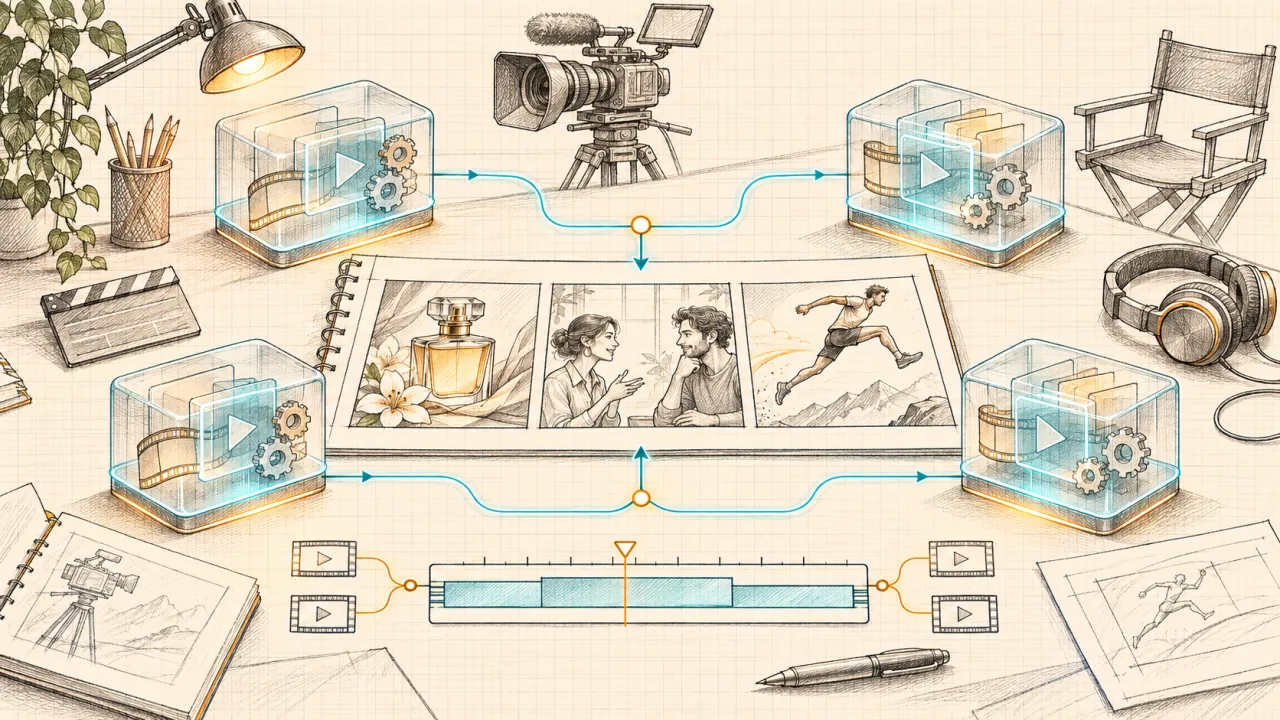
Choose the workflow that protects the hardest requirement in your shot. For product advertising, prioritize product identity and controlled revisions. For dialogue, prioritize the exact script, speaker assignment and audio workflow. For action, prioritize contact, timing and spatial continuity. Then compare the cost of obtaining an accepted shot.
This is a practical selection guide, not a quality leaderboard. We checked official documentation on November 9, 2026; we have not generated a controlled comparison across these systems. Suggested prompts, weights and acceptance criteria below are editorial tools, not reported test results. Illustrations are conceptual sketches, not model outputs or performance evidence.
Contents
- Define the model and access route
- What official documentation establishes
- Product ads: preserve the thing being sold
- Dialogue: evaluate words, faces and sound separately
- Action: check contact before spectacle
- Run a small, fair comparison
- Budget for accepted shots
- A production workflow you can reuse
- Frequently asked questions
- Official sources
Define the model and access route
“Pika H3 Flex” can mean the model released by Pika, while pikah3flex.com is an independent platform with a similar name. The site's About page states that it is not affiliated with Pika or MiniMax and does not currently offer Flex itself. Selecting MiniMax H3 here does not mean selecting Pika's post-trained Flex release.
For Flex specifically, use the official access guide, which separates official hosted access, local weights and this independent platform. Do not transfer account Credits, advertised speeds or feature lists between those routes.
The other names also require precision. “Kling” and “Seedance” identify families, not one immutable configuration. Record the version, mode and endpoint. Our documentation examples include Kling VIDEO 3.0, Veo 3.1 and Seedance 2.5; these are named reference points, not a claim that every service offers them or that they are the latest everywhere.
What official documentation establishes
| Candidate | Documented starting point | What your project still needs to establish |
|---|---|---|
| Pika H3 Flex | The official model card describes six-step video/audio generation and multimodal references. Pika's hosted service adds finishing and audio-stem options. | Whether your chosen route preserves the product, executes revisions and delivers the files your editor needs. |
| Kling VIDEO 3.0 | The official guide describes native audio, element references and multi-shot controls. | Whether a particular endpoint exposes these controls and keeps identity and speaker assignment stable in your scene. |
| Veo 3.1 | Google documents video with native audio and reference-based creative controls. | Whether the chosen access surface supports your input mode, script and delivery settings. |
| Seedance 2.5 | ByteDance documents audio/video joint generation, reference control and editing. | Whether those controls reproduce your intended blocking and survive the required revisions. |
These summaries come from the Flex model card, Pika hosted page, Kling 3.0 guide, Google Veo page and Seedance 2.5 page. A documented control is a reason to shortlist a workflow, not proof that its outputs will win your test.
Product ads: preserve the thing being sold
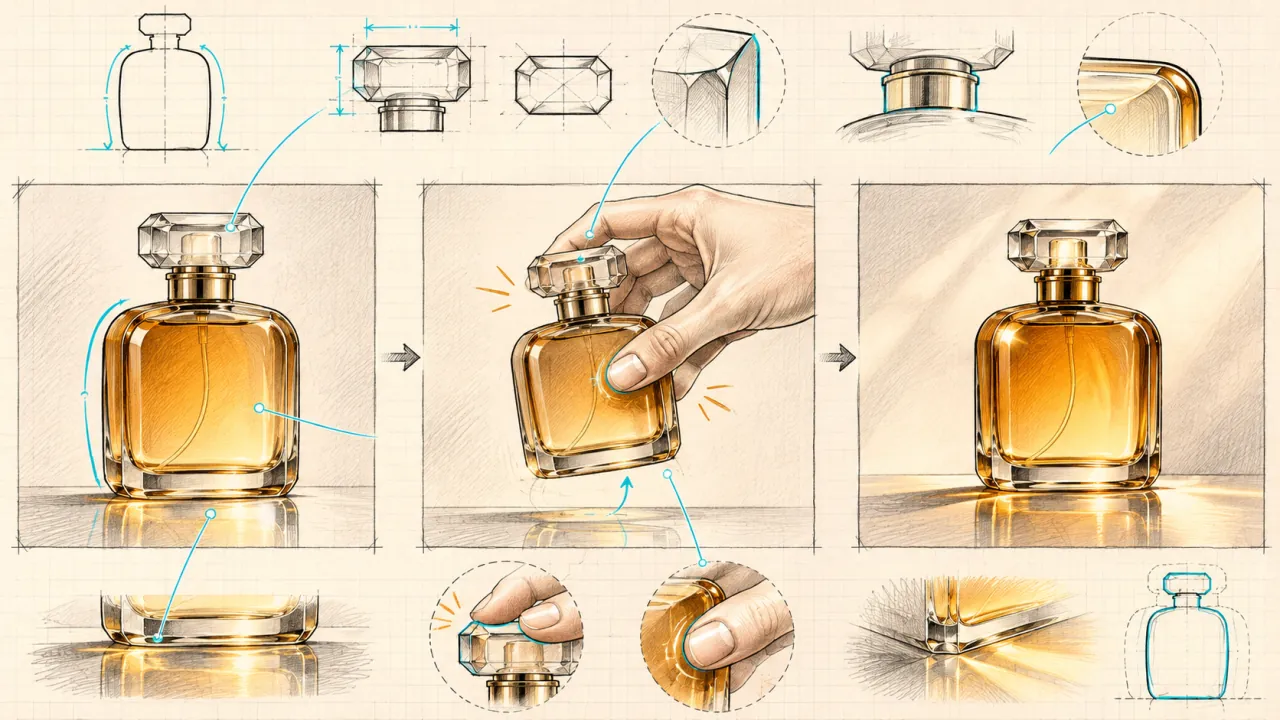
For an ad, a beautiful clip can still be unusable if the item changes. Define product invariants before generating: silhouette, proportions, closure, color, material, label placement and distinctive features. A bottle with a different cap is a different product, even when the lighting is excellent.
Separate three shot types. A restrained hero shot tests identity under camera movement. A hand interaction tests gripping, scale and occlusion. A final packshot tests whether the product returns to a clean, readable presentation. Do not begin by combining all three with smoke, liquid simulation and rapid cuts.
Inspect five advertising capabilities
- Reference fidelity: compare opening, midpoint and closing frames with the approved product image.
- Temporal stability: check that edges, labels and accessories do not drift between frames.
- Material behavior: inspect glass, metal, reflections and contact shadows in motion.
- Revision control: request one background change while preserving the object and camera.
- Delivery flexibility: assess crop safety, clean endings and space for typography.
Make the fourth check a real revision, not another unrelated prompt. “Keep the same bottle and motion; change only the backdrop to pale blue” exposes whether the workflow supports production iteration. Record any drift instead of counting every attractive alternative as success.
A reusable prompt brief:
Use the supplied bottle image as the product reference. One continuous tabletop shot. The camera moves slowly closer while the bottle remains stationary. Preserve the cap, proportions and amber glass. Soft side lighting, neutral background, clear tabletop contact. No added lettering, hands or cuts. Leave room above the product for a headline added in editing.
This is an untested starting brief, not a promise of identical behavior across models. Map references to each endpoint's supported syntax. For more brief-building ideas, use the prompt and reference guide.
Selection rule: shortlist workflows with the required reference and revision controls, then judge their outputs against your approved asset. If packaging text must be exact, plan a verified overlay or tracked composite. Generated readability alone does not validate the wording.
Dialogue: evaluate words, faces and sound separately
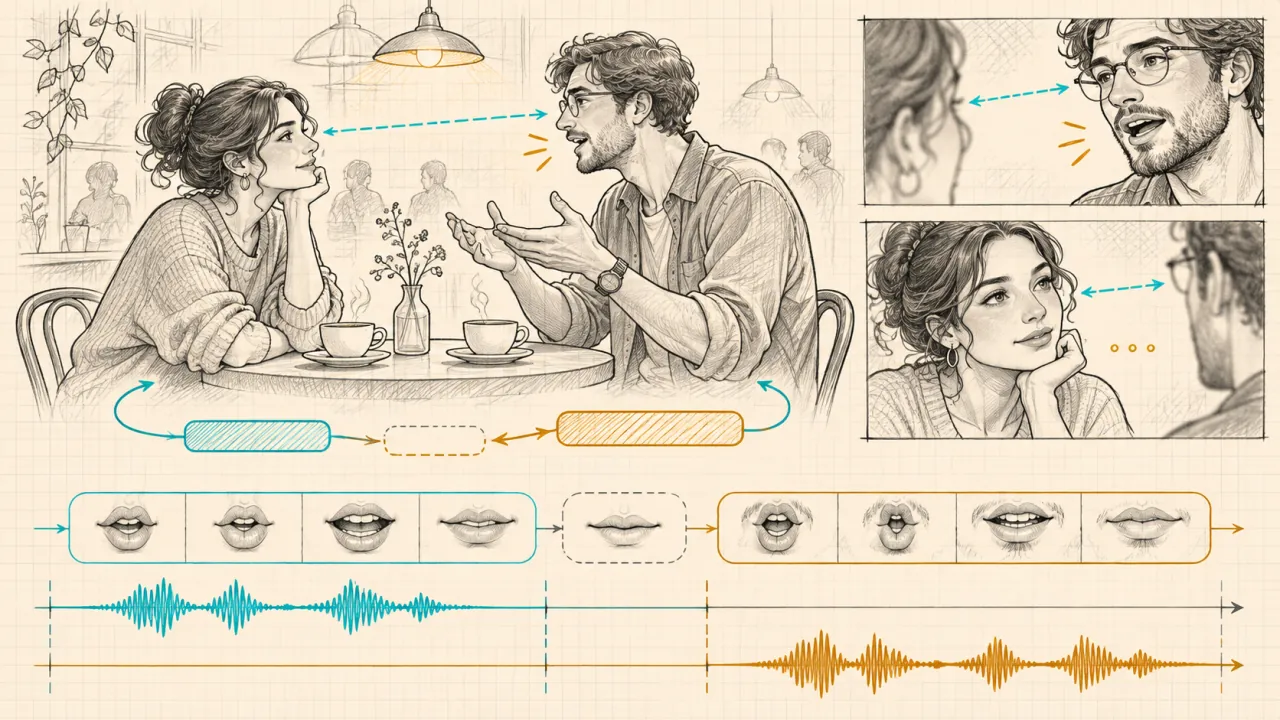
“Has audio” is too broad a criterion for a dialogue scene. You need the right speaker saying the right words at the right moment, with believable facial performance and editable sound. Test those requirements independently before judging the cinematic atmosphere.
Begin with one visible speaker and a short line. Then test a two-person exchange. Only add interruptions, accents or camera cuts when the simpler version meets your acceptance criteria. A long script can hide which requirement caused a failure.
Native audio and lip-sync are different workflows
Native audio generates the picture and soundtrack together. A separate lip-sync stage starts with an existing video and a supplied or synthesized voice track. Kling documents the latter in its Lip Sync guide. Do not infer that an audio-generation toggle accepts an approved recording, or that every lip-sync tool supports multiple speakers.
Pika's hosted Flex page documents separate audio stems. That can matter when dialogue must remain while music changes, but the official model card distinguishes hosted extensions from local mixed-audio output. Confirm what the actual endpoint returns before building a sound workflow around it.
Use a dialogue acceptance checklist
- Script accuracy: transcribe the result and mark substitutions, omissions and unwanted speech.
- Speaker assignment: verify who speaks each line and whether the silent character stays silent.
- Lip timing: inspect visible consonants, word endings and the mouth during pauses.
- Performance: check gaze, expressions, breathing and continuity across cuts.
- Audio editability: listen for voice changes, clipped endings, music masking speech and files that cannot be separated.
An untested brief could say: “Two original adult characters sit at a cafe. Medium two-shot, fixed camera. The woman says, ‘The package arrived.’ She stops. The man replies, ‘Then let's begin.’ No overlapping speech, no music, soft room ambience.” Use a separately written Chinese script when testing Chinese delivery; do not assume English results establish Chinese performance.
Selection rule: use a documented audio-capable workflow when picture and sound are being explored together. When a client requires an approved voice recording or exact timing, test a workflow that explicitly accepts it. Decide after reviewing the actual export, not a demo reel.
Action: check contact before spectacle
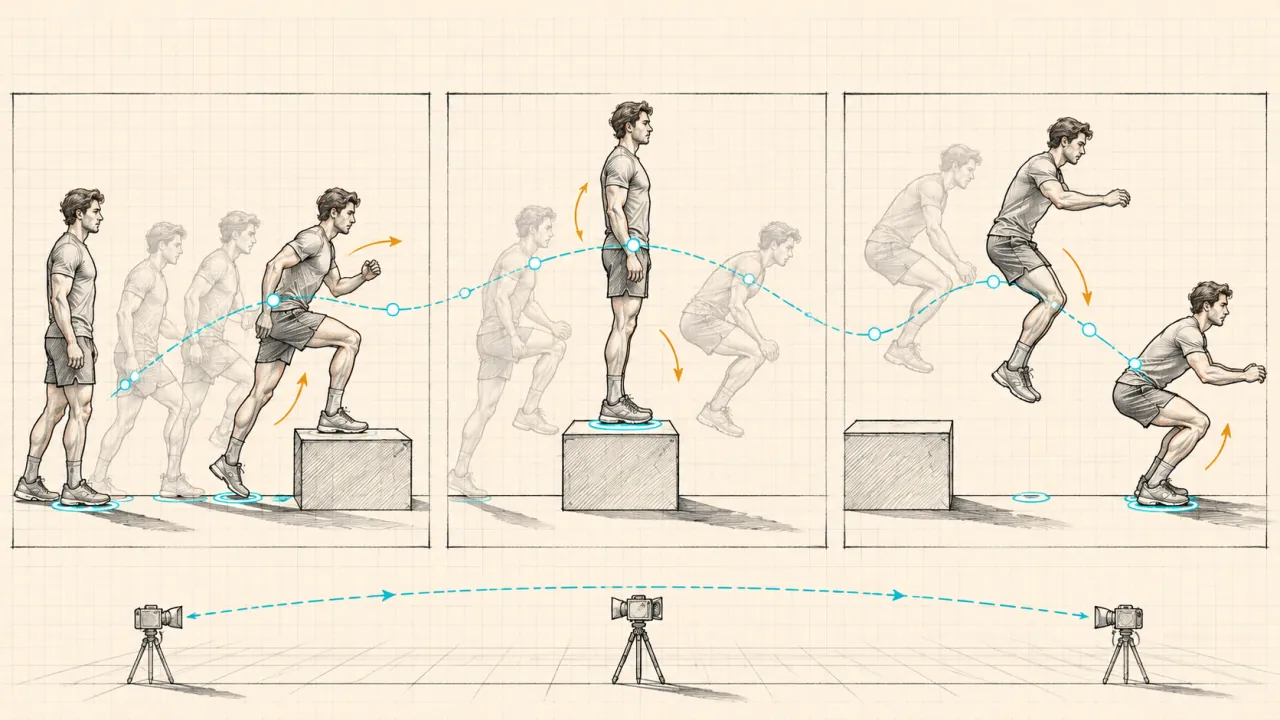
Action is a continuity problem. A fast camera can make a clip exciting while hiding a sliding foot, disappearing prop or impossible change of direction. Watch once at normal speed for rhythm, then inspect critical events frame by frame.
Write the action as observable beats: approach, plant, takeoff, flight, landing and recovery. Select one decisive interaction first. A person stepping onto a low box is easier to diagnose than a crowded chase involving several vehicles and explosions.
Inspect four relationships
Body and ground: does a planted foot stay planted? Does the body compress before a jump and absorb the landing? Look for floating, sliding or unexplained height changes.
Body and object: does a hand maintain contact with a held item? Does an object follow a plausible path when released? Count props before and after an occlusion.
Subject and space: does the athlete keep a coherent size and direction? Does the setting retain its geometry when the camera moves?
Event and time: do events occur in the requested order without unexplained cuts? An action can look plausible in isolated frames and fail as a sequence.
Start with a side-on, fixed-camera brief: “One adult athlete approaches a low training box, steps onto it, then jumps down and lands with bent knees. Keep the full body and floor visible. One continuous shot, consistent daylight, no cuts or slow motion.” These instructions define an evaluation target, not a validated model capability.
Then add one difficulty at a time: tracking camera, partial occlusion, a second actor or a motion reference. If motion reference is essential, first confirm that the endpoint accepts video and how the reference is interpreted. Appearance reference and motion guidance are different jobs.
Selection rule: prefer the tested configuration that preserves the required interaction. If no candidate passes, simplify the shot, split it into coverage, or combine generated backgrounds with controlled foreground footage. Repeating a physically ambiguous prompt is not a production strategy.
Run a small, fair comparison
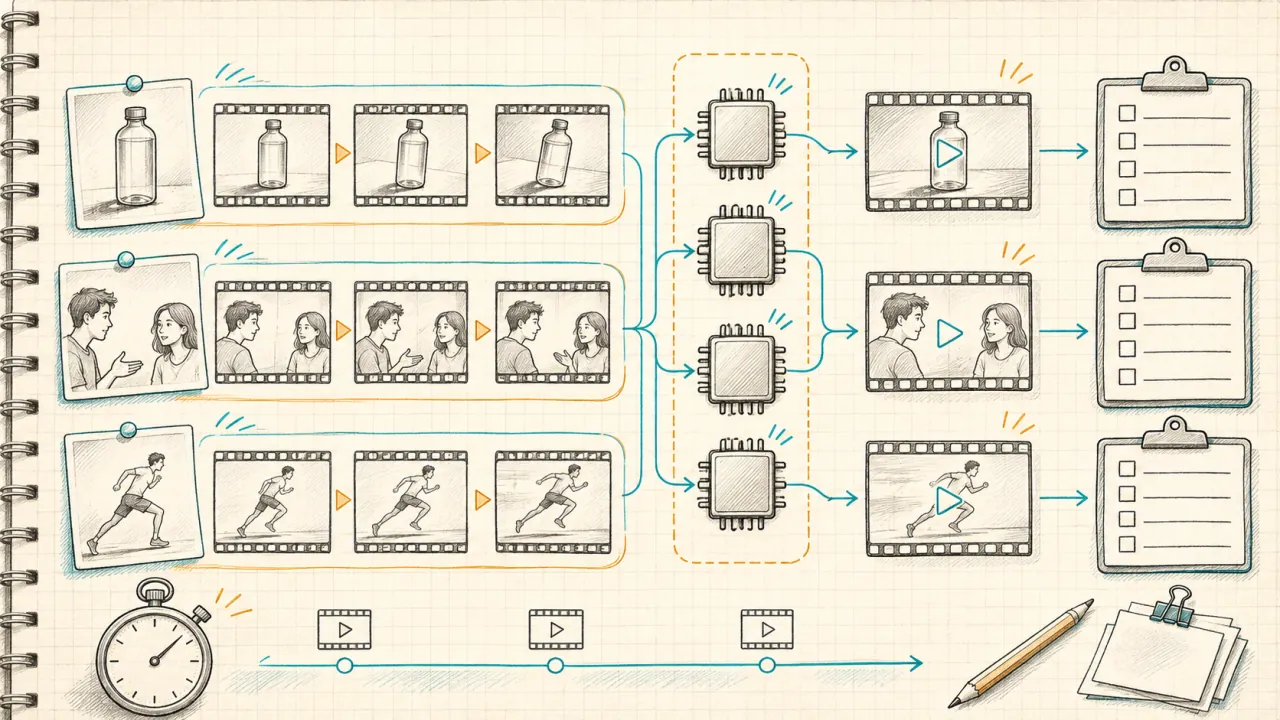
Use a two-stage evaluation. First, compare a shared brief with matched inputs and delivery requirements. Second, let each workflow use its documented controls to solve the production task. The first stage reveals differences under common conditions; the second reveals what you could actually deliver. Keep those findings separate.
For a modest pilot, try three attempts for one shot on each of four candidates: twelve attempts. Testing all three categories that way would require thirty-six. These are planning examples, not a statistical benchmark. Begin with the category that matters to your current project.
Record the following alongside every clip:
| Record | Why it matters |
|---|---|
| Model, version, endpoint and date | A provider name alone cannot reproduce a run. |
| Prompt and any visible rewrite | Automatic enhancement can change the instructions. |
| References and their assigned roles | Different inputs create a different task. |
| Duration, aspect ratio, resolution and audio mode | Delivery differences can distort a comparison. |
| Quote, final charge, retries and refunds | An attempt's listed price is not the project cost. |
| Queue-to-download time | User waiting time differs from model compute time. |
| Pass/fail notes and editing effort | Attractive output may still need costly repair. |
Do not reuse a numeric seed across families as if it guaranteed identical randomness. If one model cannot support the required setting, report the mismatch. Compare a shared compatible mode or record the workflow as unsuitable for that specific brief.
Use anonymous file labels where practical. Review in random order, keep every attempt, and record why a clip failed. This reduces the temptation to compare one product's best sample with another product's first sample.
You may assign illustrative review weights, such as 40% identity, 25% temporal stability, 20% revision control and 15% finishing for an ad. These are project priorities, not measured model scores. Apply hard gates first: an incorrect product or unauthorized voice should fail even if the weighted average looks good.
Budget for accepted shots
Use cost per accepted shot, not merely cost per generation:
Cost per accepted shot = (generation charges + required finishing + editing labor) ÷ number of accepted shots.
For an illustrative calculation, suppose ten attempts cost $20, finishing and editing cost another $10, and two shots are accepted. The cost is $15 per accepted shot. These numbers are invented to explain the calculation; they are not prices or acceptance rates for any named model.
Count successful but rejected generations, not just technical failures. Also separate subscription entitlements, expiring Credits, top-up purchases and external compute. A local model can remove a hosted per-call fee while adding hardware and operational costs.
For this independent site, consult current plans and Credit guidance and the submission quote. The site states that successful creative revisions consume Credits, while failed generation tasks return them. Do not generalize that refund policy to other services. Promotional grants may not cover a video.
A production workflow you can reuse
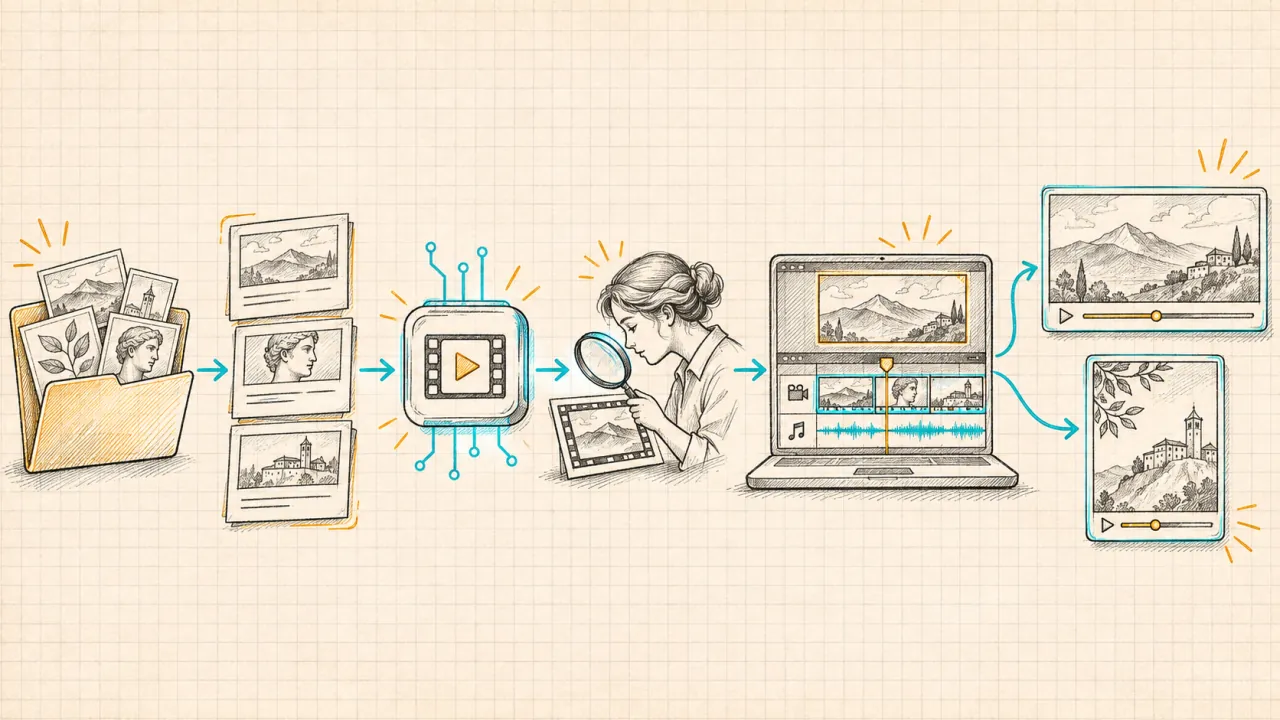
- Write one acceptance sentence. For example: “The approved bottle remains unchanged throughout a slow push-in.”
- Prepare a small reference pack. Separate identity, environment, motion and sound; assign each input one job.
- Check the exact route. Confirm controls, licensing, input handling, export files and the quote.
- Generate a restrained pilot. Keep the full attempt history and inspect the hardest requirement first.
- Revise one variable. Change the background, camera or performance separately, preserving the rest.
- Finish and inspect delivery. Check typography, audio, crop, resolution and playback in the destination format.
To explore models currently listed on this platform, open AI Video and read the selected model's controls before uploading. Label exported work with the actual selected model. For official Flex, use official access rather than assuming the site's name identifies the underlying generator.
Frequently asked questions
Which model is best for product advertising?
There is no winner established by this article. Compare product fidelity, temporal stability and controlled revisions using your approved assets. Treat exact labels and mandatory copy as separate finishing requirements.
Which should I choose for Chinese dialogue?
Test the exact Chinese script, speaker count and voice requirement on the selected endpoint. A multilingual feature list can establish intended support; only your output review establishes whether the line is usable.
Does 4K output mean better motion or more accurate products?
No. Export resolution does not establish temporal stability, physical continuity or label accuracy. Inspect the generated content and identify any upscaling or finishing steps before comparing deliverables.
Can I compare everything inside pikah3flex.com?
The platform provides listed models, but its About page says Flex itself is not currently offered. Availability and controls can change. A valid comparison must disclose when an official service or local workflow is used separately.
Should I subscribe before testing?
First confirm that the required model, inputs and exports are available and estimate the pilot cost. Choose a purchase route that covers a realistic number of attempts; do not assume signup Credits fund the whole evaluation.
Official sources
Documentation reviewed on November 9, 2026. Specifications establish available or intended controls; this article does not adopt vendors' rankings or performance claims as independent findings.
- Pika H3 Flex official model card: released model and local-versus-hosted boundaries.
- Pika H3 Flex hosted service: hosted controls, finishing and audio export.
- Kling VIDEO 3.0 user guide: version-specific audio, references and multi-shot controls.
- Kling Lip Sync guide: a separate audio-driven lip-sync workflow.
- Google DeepMind Veo: Veo video and native-audio capabilities.
- ByteDance Seedance 2.5: reference, editing and audio/video-generation capabilities.